5 Best Open Source Alternatives to Visio

Updated July 2026

Visio is the default diagramming app in many Microsoft shops for good reason: it handles process maps, network diagrams, floor plans, org charts, and stencil-heavy technical drawings with a familiar Office-style interface and decent VSDX exchange. The friction starts when diagramming is occasional work but Visio is still a separate license, and when non-Windows or non-Microsoft collaborators need to edit rather than just view files.

Open source alternatives give you the practical core without making every contributor live inside the Visio ecosystem: editable flowcharts, UML and architecture diagrams, reusable shape libraries, common export formats, and in some cases text-based diagrams that can be reviewed in Git alongside the system they describe.

LibreCAD logo

1.LibreCAD

5.9kOtherC++
LibreCAD screenshot

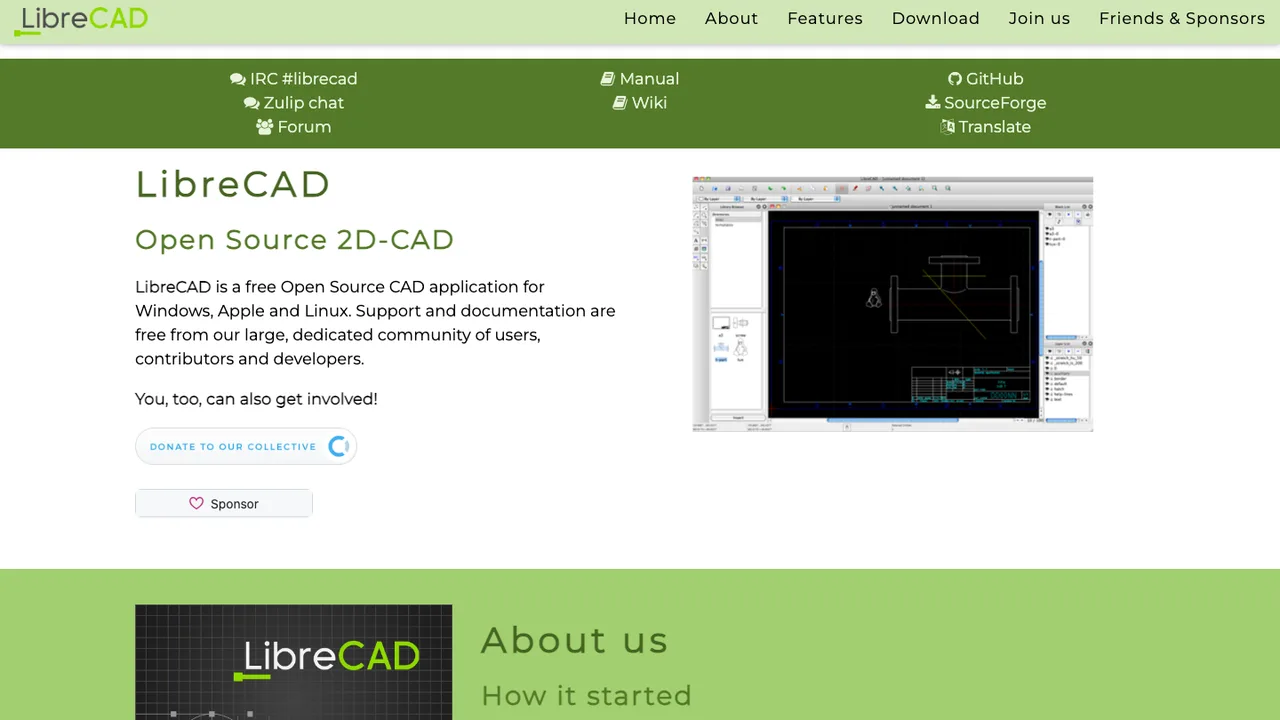
LibreCAD is a 2D CAD program for creating and editing technical drawings. Based on the community edition of QCAD and built on the Qt framework, it runs as a desktop application on most operating systems, with a highly customizable interface translated into more than 30 languages.

  • Reads DXF and DWG files
  • Writes DXF, DWG, PDF, and SVG
  • Point, line, circle, ellipse, parabola, hyperbola, and spline primitives
  • Command-line DXF to PDF, PNG, or SVG conversion
DesktopNaotu logo

2.DesktopNaotu

5.1kGPL-2.0TypeScript
DesktopNaotu screenshot

DesktopNaotu is a localized desktop version of Baidu Mind Mapping. It lets you build and edit mind maps with no internet connection, so the tool stays usable in offline or local-only environments.

  • Core Baidu Mind Mapping functions for building and editing maps
  • Works with local km files
  • Open km files by drag-and-drop or file association
  • Automatic saving of map changes
QCAD logo

3.QCAD

1.8kOtherC++
QCAD screenshot

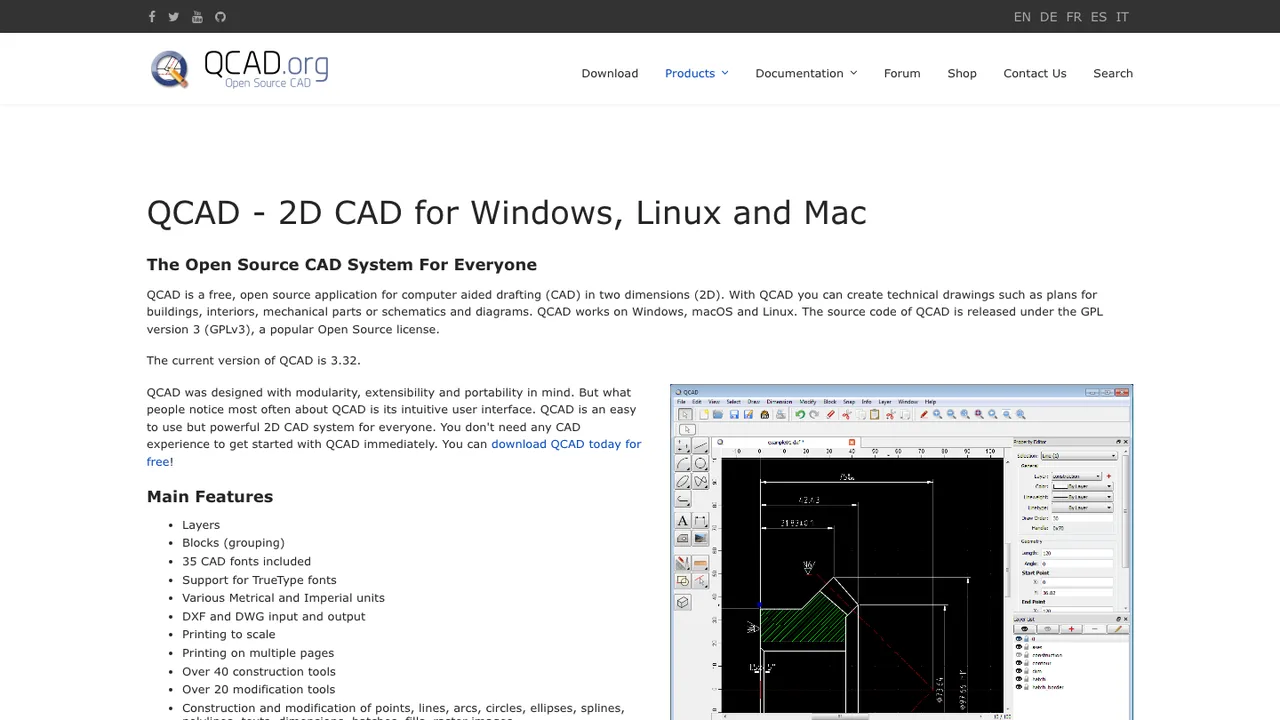
QCAD is a 2D CAD application for Windows, macOS, and Linux, built for creating and editing technical drawings. It reads and writes the DXF format natively, with optional DWG support available through a separate proprietary plugin.

  • Native DXF read and write for 2D CAD drawings
  • Optional DWG support through a proprietary plugin
  • C++ plugin interface for extensions
  • ECMAScript and JavaScript scripting interface

4.Heimer

975GPL-3.0C++

Heimer is a desktop application for creating mind maps, diagrams, and note-taking layouts. It is written in Qt and targets Linux and Windows, with an easy-to-use interface for arranging nodes and labels.

  • Automatic layout optimization for mind maps and diagrams
  • Autoload and autosave with full undo and redo
  • Export maps to PNG or SVG
  • Save and load XML-based .ALZ files
VYM logo

5.VYM

183OtherC++
VYM screenshot

VYM (View Your Mind) is a mind mapping application for visualizing thoughts in tree-like structures. The same maps also work for time management, self-organization, and sorting through new ideas and complex contexts.

  • Mind maps in tree-like structures
  • Personal task manager with priorities and reminders
  • Scripting for presentations
  • Retrieves data from Jira

Switching from Visio to open source

Start with the parts of Visio your team actually depends on, not the drawing canvas in general. Some teams only need flowcharts, network maps, and architecture diagrams, where replacement risk is mostly stencil coverage and connector behavior. Others rely on shape data, custom masters, layers, data-linked diagrams, print layouts, or strict corporate templates. Those are harder to replace because they are tied to how Visio stores semantics inside a drawing, not just how the page looks. Decide whether your target is editable parity, readable archives, or a cleaner new diagramming standard.

Expect gaps around polish and enterprise-specific diagram habits. Open source tools may handle common boxes, connectors, swimlanes, and exports well, but exact Visio rendering is not guaranteed. Imported drawings can lose theme fidelity, glued connector behavior, custom properties, embedded objects, or page setup details. Specialized stencils for engineering, facilities, and network equipment may need to be rebuilt or simplified. Also expect a different collaboration model: some tools are file-centric, some are browser-based, and some need separate storage, identity, or review workflows to match what users had around Visio.

Migration usually works best in two tracks. Keep authoritative archives from Visio as PDF or SVG so old diagrams remain readable, then test editable migration with representative .vsdx files rather than the easiest samples. What survives depends on the importer: basic shapes, text, groups, and many connectors often come across, while masters, shape data, layers, themes, formulas, and embedded content need review. Build a cleanup pass into the plan. Recreate shared stencils and templates in the new tool, define export formats, and avoid converting a large library until the team agrees on what fidelity is acceptable.

Related alternatives

Frequently asked questions

What is the closest open source replacement for Visio?+

There is no single open source tool that matches every Visio workflow. The closest fit depends on whether you need desktop editing, browser collaboration, code-based diagrams, network stencils, or strict .vsdx import. For basic flowcharts and architecture diagrams, several options are practical. For complex Visio files with custom masters, data fields, and precise page layouts, expect testing and cleanup before committing.

Will open source tools open my existing .vsdx files?+

Some open source diagramming tools can import .vsdx, but support varies by feature. Simple drawings usually fare better than documents with custom stencils, shape data, layers, themes, embedded files, or unusual page settings. Treat .vsdx import as a compatibility feature, not a guarantee. Test real production files and compare both visual output and editability before choosing a replacement.

What happens to custom Visio stencils during migration?+

Custom stencils are often the hardest part of leaving Visio because they carry both visual design and reuse habits. Basic shapes may import, but master behavior, connection points, metadata, scaling rules, and naming conventions may not. For important stencil libraries, plan to rebuild a clean version in the new tool and document how users should place, edit, and update those shapes.

How much money can a team save by replacing Visio?+

The license bill can drop, especially for teams that only need occasional diagram editing. The real cost shift is operational: migration time, template rebuilding, user training, hosting if you self-host, and support ownership. If only a few specialists use advanced Visio features, replacing every seat may save less than expected. Measure savings against the workflows that must survive, not just license count.

Is self-hosting a realistic option for Visio alternatives?+

Yes, but self-hosting changes the job from buying an editor to running a service. You need to evaluate authentication, storage, backups, update process, network access, and how files are shared. Browser-based tools also need clear rules for who owns diagrams and where attachments live. If your diagrams include sensitive infrastructure or process information, self-hosting can be useful, but only with real operations support.

Are open source Visio replacements safe for network and security diagrams?+

They can be, but you should review the full data path. For a desktop tool, check where files are stored and whether plugins or templates load remote content. For a web tool, review authentication, transport security, server logs, file storage, backups, and administrator access. Security diagrams often expose internal systems, so avoid casual third-party hosting unless your organization has approved it.

Do these tools support real-time collaboration like modern cloud editors?+

Some do, and some are intentionally file-based. Real-time collaboration requires more than simultaneous editing: you also need permissions, conflict handling, comments, version history, and a place to store the diagram. If review and approval matter, test that workflow directly. A tool can be a good Visio replacement for individual editing while still being weak for multi-person design sessions.

Can I keep working offline after leaving Visio?+

Offline work depends on the tool architecture. Desktop open source diagram editors are usually the safest choice when users travel, work in restricted networks, or need local files. Browser-based tools may require a server connection even if the diagram format is portable. If offline use matters, test creating, editing, exporting, and later merging changes without network access before rolling it out.

What should teams know about mobile or tablet use?+

Mobile support is usually more limited than desktop or browser editing. Many open source diagramming workflows are usable for viewing, commenting, or small edits, but precise connector placement, stencil browsing, and large canvas navigation are still easier with a keyboard, mouse, and full screen. If field users need diagrams, consider whether they need editing or just reliable read-only exports such as PDF or SVG.

How do integrations compare with Visio?+

Visio often sits inside a broader office workflow, so replacement is partly about surrounding systems. Check whether the alternative can export the formats your documents, wikis, issue trackers, and architecture repositories accept. If automation matters, look for command-line rendering, stable file formats, or an API. If users paste diagrams into documents manually, standardizing export size and naming may matter more than deep integration.

Will data-linked diagrams and generated org charts survive?+

Do not assume they will. Visual diagrams exported from Visio may remain readable, but the link between shapes and external data often needs to be rebuilt. If your diagrams are generated from spreadsheets, directories, databases, or inventory systems, evaluate that workflow separately from manual editing. In many migrations, teams replace data-linked Visio files with a scripted or template-based process in the new environment.

How much cleanup is normal after importing Visio files?+

For simple diagrams, cleanup may be minor: adjust text wrapping, connector routing, page size, and a few shapes. For heavily customized files, cleanup can be significant. Watch for shifted labels, broken grouping, missing connection points, flattened styling, lost layers, and shapes that look correct but no longer behave correctly. Budget cleanup time by diagram type, not by file count alone.

Which file format should replace .vsdx as the team standard?+

Pick a format based on how diagrams will be edited and reviewed. Native editable formats are best for ongoing work, while SVG and PDF are better for publishing and long-term readability. If diagrams should live in version control, text-based formats can make review and automation easier. Many teams use one editable source format plus a required exported format for sharing with non-editors.

How should backups and version history work without Visio?+

Decide where the source files live before users start creating new diagrams. File shares, document repositories, self-hosted storage, and version control all work, but they create different habits around locking, review, and recovery. Back up both diagram files and any shared stencil or template libraries. For browser tools, also verify database backups, attachment storage, and restore testing, not just export buttons.

What if the open source project behind our chosen tool stalls?+

Protect yourself by choosing a tool with a documented file format, usable exports, and a migration path that does not depend on one hosted service. Keep periodic exports of important diagrams in PDF or SVG, and store source files somewhere your organization controls. Before standardizing, test whether another editor or conversion path can read your files well enough to recover critical diagrams.