4 Best Open Source Alternatives to Figma

Updated July 2026

Figma is the default shared workspace for interface design because it makes multiplayer editing, component libraries, prototypes, comments, and developer handoff feel like one continuous surface. The friction usually starts where that strength comes from: important design source files live inside a cloud account, and the seat model can get awkward when engineers, PMs, clients, and occasional reviewers all need some level of access.

Open source alternatives trade some of Figma's polish for control over the design system itself - local or self-hosted files, scriptable exports, inspectable formats, and collaboration that can sit closer to your repos, issue tracker, and release process.

Excalidraw logo

1.Excalidraw

125.4kMITTypeScript
Excalidraw screenshot

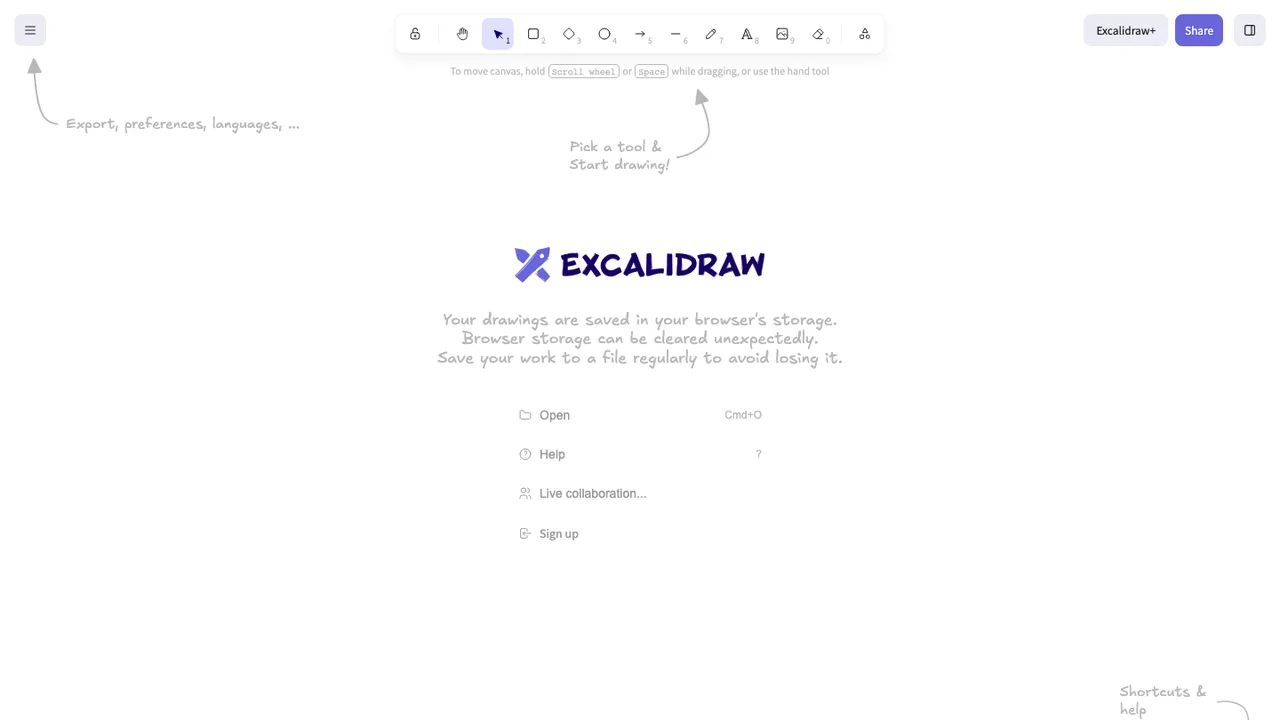
Excalidraw is an open source virtual whiteboard for drawing hand-drawn style diagrams, wireframes, and sketches. It provides an infinite canvas with common diagramming tools, so teams and individuals can turn ideas into visual drawings in a browser.

  • Infinite canvas with hand-drawn style shapes
  • Rectangle, circle, diamond, arrow, line, free-draw, and eraser tools
  • Arrow binding, labeled arrows, undo and redo
  • Export to PNG, SVG, clipboard, and .excalidraw JSON
Penpot logo

2.Penpot

49.7kMPL-2.0Clojure Self-host
Penpot screenshot

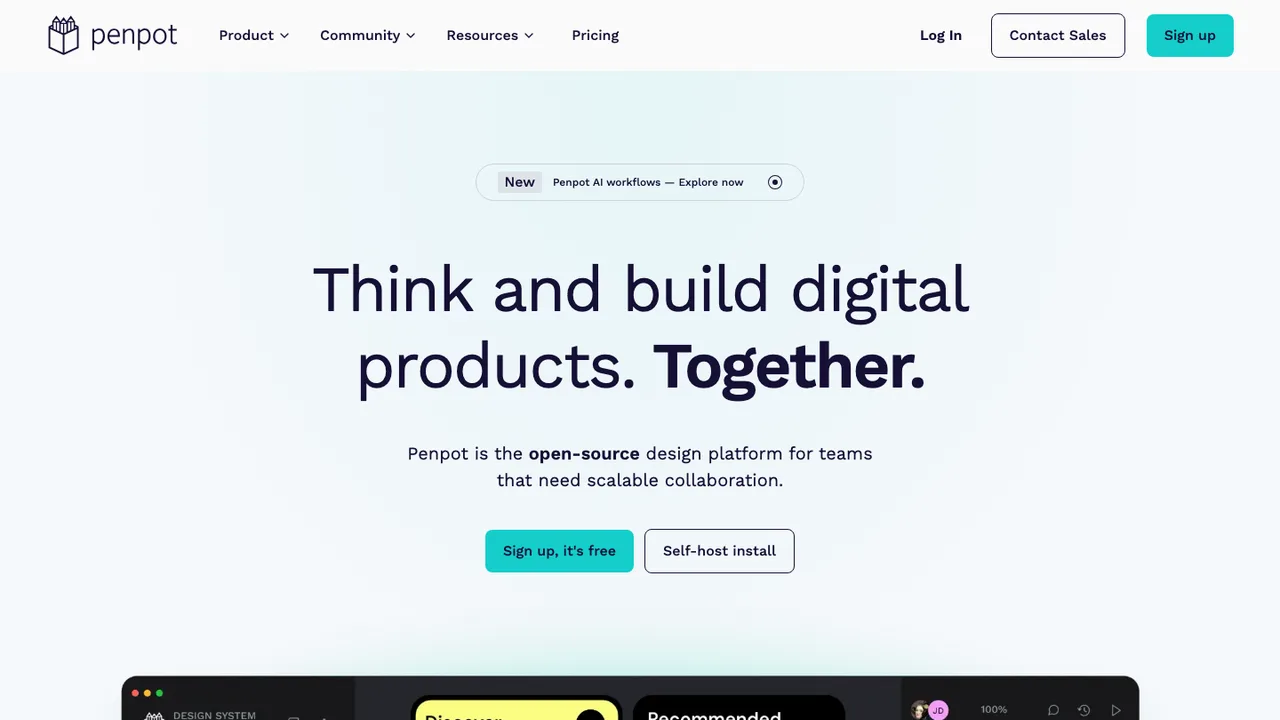
Penpot is an open-source design platform for teams building digital products. It supports design and prototype work in the browser or on self-hosted infrastructure, giving teams ownership of their design environment and helping avoid vendor lock-in.

  • Browser-based design and prototyping workspace
  • Real-time collaboration for teams or solo work
  • Inspect mode with SVG, CSS, and HTML code
  • Native design tokens, components, and variants
Graphite logo

3.Graphite

26.3kApache-2.0Rust
Graphite screenshot

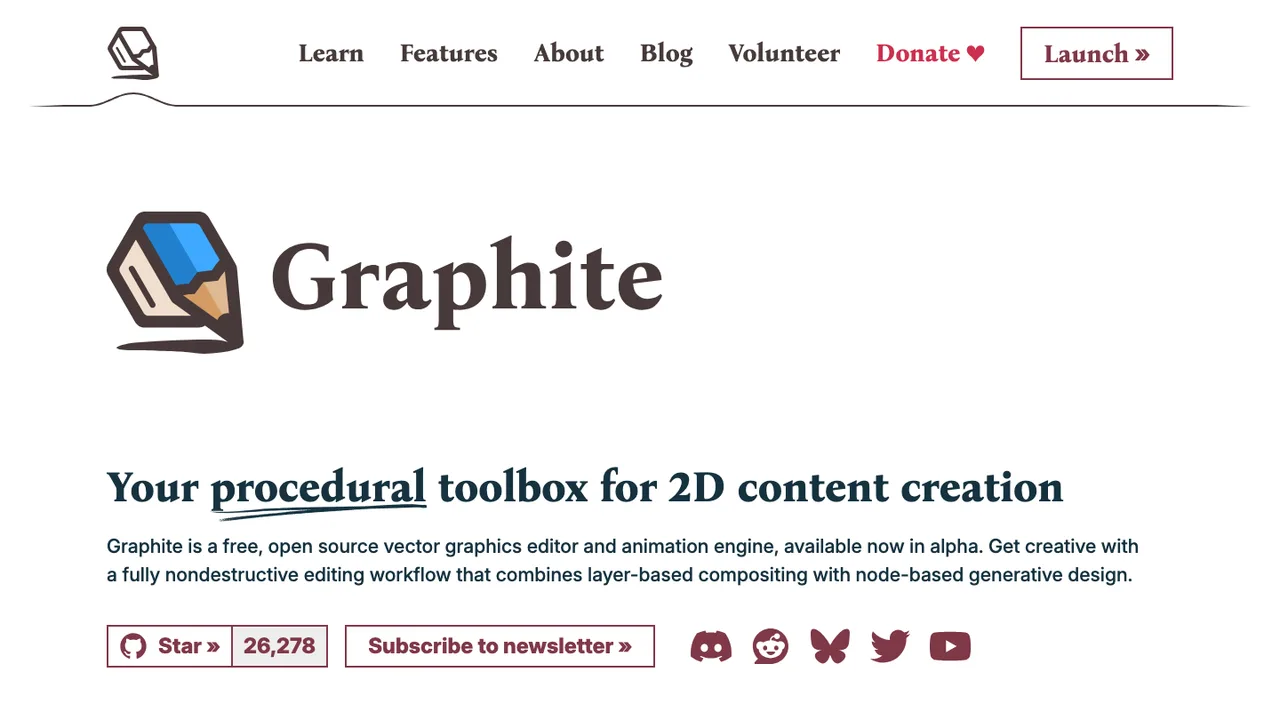
Graphite is a free, open source 2D content creation app for vector and raster graphics, available in alpha as an online editor. It began as a vector editor and is evolving into a broader graphics toolbox for graphic design, digital art, and interactive real-time motion graphics.

  • Vector and raster graphics editing
  • Fully nondestructive editing workflow
  • Layer-based compositing
  • Node-based generative design core
Akira logo

4.Akira

5.3kGPL-3.0Vala
Akira screenshot

Akira is a native Linux design application for UI and UX design. It is built in Vala and GTK and targets web designers and graphic designers who want to use Linux as their main operating system.

  • Native Linux UI and UX design application
  • Built in Vala and GTK
  • Targets web designers and graphic designers
  • Alpha release available for testing

Switching from Figma to open source

Start by deciding whether you are replacing Figma as a canvas or as the operating model for product design. Figma ties design files, real-time review, team libraries, prototype sharing, comments, and developer handoff into one cloud workflow, so a tool that draws screens well may still fail your team. Map the workflows that happen outside the artboard: how designers branch or duplicate work, how product managers review flows, how engineers read measurements, and how shared components are governed. Then choose around the hardest dependency, not the prettiest editor.

Expect gaps around fidelity and collaboration rather than basic drawing. Open source tools may handle vectors, frames, symbols, or constraints differently from Figma, and auto layout, variants, overlays, smart animations, and interactive prototype states rarely transfer one for one. Browser-based multiplayer editing can also be less polished, especially with large files and many reviewers. Plugin ecosystems, design-token pipelines, and permission controls will need evaluation. Treat the move as a redesign of process, not a simple license swap.

Migration usually starts inside Figma with an inventory of files, libraries, fonts, components, and prototype links. Export finished screens and assets as SVG, PDF, PNG, or JPG, and keep local Figma copies as source archives even if the new tool cannot fully read them. Imports preserve the most portable parts: vector paths, raster images, text content, and rough frame structure. Plan to rebuild components, styles, constraints, auto layout rules, variant logic, comments, permissions, and version history. Move one product area first, validate handoff, then freeze the old library.

Related alternatives

Frequently asked questions

Is there a realistic open source replacement for Figma?+

Yes, but not usually as a drop-in replacement for every part of Figma. The drawing surface, SVG editing, screen layout, and asset export are easier to replace than multiplayer review, shared libraries, prototype links, and developer handoff. Evaluate candidates against your team workflow, not a feature checklist. A small product team may adapt quickly, while a large design system team will need more process changes.

Is open source actually cheaper than Figma for a design team?+

It can be, but license cost is only one line item. Budget for hosting if you self-host, migration cleanup, training, template rebuilding, and time spent replacing plugins or handoff workflows. Also review the license terms for commercial use, redistribution, and modified deployments. The savings are clearest when you have many viewers or contributors and a team that can operate the tooling responsibly.

What Figma data can be exported cleanly?+

The cleanest exports are presentation and asset formats: SVG for vectors, PDF for review or archive, PNG and JPG for raster deliverables. Text, frame boundaries, and vector paths may survive when imported elsewhere, depending on the target tool. Figma-specific behavior such as components, variants, auto layout, prototype wiring, comments, permissions, and version history generally should not be treated as portable project data.

How much manual cleanup should we expect after importing Figma work?+

Expect cleanup on any file that is more than static artwork. Imported layers may have different grouping, text wrapping, constraints, clipping, masks, and layout behavior. Component instances often become ordinary objects or need relinking. For production design systems, plan a rebuild rather than a bulk conversion. A practical test is to migrate one representative flow and measure how long it takes to make it editable again.

Do open source options support multiplayer editing like Figma?+

Some do, but Figma set expectations around browser-based coediting, cursor presence, comments, sharing links, and low-friction review. Open source alternatives may separate editing from review, require accounts on your server, or perform differently with large files. Test a real design critique with designers, product managers, and engineers present. Latency, conflict handling, and comment notifications matter more than whether collaboration appears on a feature page.

Is self-hosting a good idea for Figma replacement tools?+

Self-hosting is useful when design files contain unreleased product plans, regulated customer flows, or internal system diagrams that should not sit in a vendor cloud. It also gives you control over backups and access policies. The tradeoff is operational work: upgrades, storage, authentication, monitoring, and incident response. If nobody owns that system internally, a hosted open source option may be safer than a neglected server.

Will component libraries, variants, and styles survive migration?+

Usually not in a fully usable form. You may preserve the visual output of buttons, forms, icons, and screens, but the underlying library relationships often need to be rebuilt. Variants, nested components, text styles, color styles, and layout rules are tightly tied to Figma's model. Treat migration as a chance to audit the design system, remove stale components, and recreate only the parts teams actually use.

How are prototypes affected when leaving Figma?+

Static screens can be exported, but prototype behavior is harder to move. Links between frames, overlays, transitions, interactive states, and embedded flows may need to be recreated in the new tool. If prototypes are used mainly for stakeholder walkthroughs, exported PDFs or screen recordings may be enough for archival purposes. If they drive usability testing or engineering decisions, rebuild the critical flows before cutting over.

What happens to developer handoff when replacing Figma?+

Developer handoff is often where migration friction shows up first. Engineers may lose familiar inspection panels, measurements, CSS-like snippets, asset download flows, or direct links from tickets to frames. Before switching, run a handoff trial on a real feature and ask engineers what information is missing. You may need a documented convention for specs, exported assets, tokens, and annotations instead of relying on the design file alone.

How should we migrate comments and version history from Figma?+

Do not assume comments and version history will transfer. For important decisions, capture them before migration by resolving open threads, copying decision notes into your project tracker, and exporting review artifacts where appropriate. Keep archived Figma files or PDFs for historical reference. Version history is useful for auditing why a screen changed, but long-term product memory should live in documents and tickets, not only inside design tooling.

Are permissions and guest sharing comparable outside Figma?+

They can be simpler, more manual, or tied to your own identity system. Figma teams often depend on file-level sharing, project spaces, guest access, and review links. In an open source replacement, check whether permissions are workspace-wide or granular, whether external reviewers need accounts, and how link sharing is revoked. This matters for agencies, contractors, and product teams working with confidential unreleased features.

Do plugins and API workflows have equivalents?+

Some workflows can be rebuilt, but rarely without effort. Inventory which Figma plugins and API scripts are actually business-critical: token export, icon generation, content population, accessibility checks, localization, analytics screenshots, or handoff automation. Then verify whether the new tool has an extension model, command-line export path, or file format you can script against. Plugin parity is less important than replacing the workflows your team runs every week.

Will fonts, icons, and exported assets stay accurate?+

They can, if you control the source assets. Install the same font files where licensing allows, keep icon masters in a portable vector format, and compare exports side by side before retiring Figma files. Text layout can shift because tools differ in font rendering, line height, and resizing behavior. For brand-critical screens, treat visual QA as part of migration, not an optional polish pass.

What security checks matter before adopting an open source design tool?+

Start with the data the tool will hold: unreleased product flows, customer screenshots, credentials accidentally pasted into mockups, and internal architecture diagrams. Review authentication options, access logs, backup encryption, file storage location, dependency update process, and whether administrators can recover or delete user data. If self-hosting, include the server in your normal patching and monitoring program instead of treating it as a design-side experiment.

What if the open source project we choose is abandoned?+

Plan an exit path before standardizing on it. Prefer tools that store work in documented or easily exported formats, and schedule periodic exports of important files to SVG, PDF, and raster assets. Keep design-system source decisions documented outside the tool. If development slows, you may still be able to run the software for a while, but security updates, browser compatibility, and collaboration features become the risks to watch.