3 Best Open Source Alternatives to TSplus

Updated July 2026

TSplus is a pragmatic way to publish Windows desktops and line-of-business apps without buying into the full Microsoft RDS stack: it gives admins a web portal, HTML5 access, remote printing, session controls, and add-ons around security and monitoring. It is strongest when you need to get legacy Windows software in front of users quickly.

The friction shows up when that remote access layer becomes core infrastructure but remains a closed product, especially as security, monitoring, MFA, and scale are shaped by editions and add-ons. Open source alternatives give you a more inspectable gateway or remote desktop stack, direct control over authentication and network placement, and room to adapt the deployment around Windows, Linux, or browser-based access.

RustDesk logo

1.RustDesk

116.2kAGPL-3.0Rust Self-host
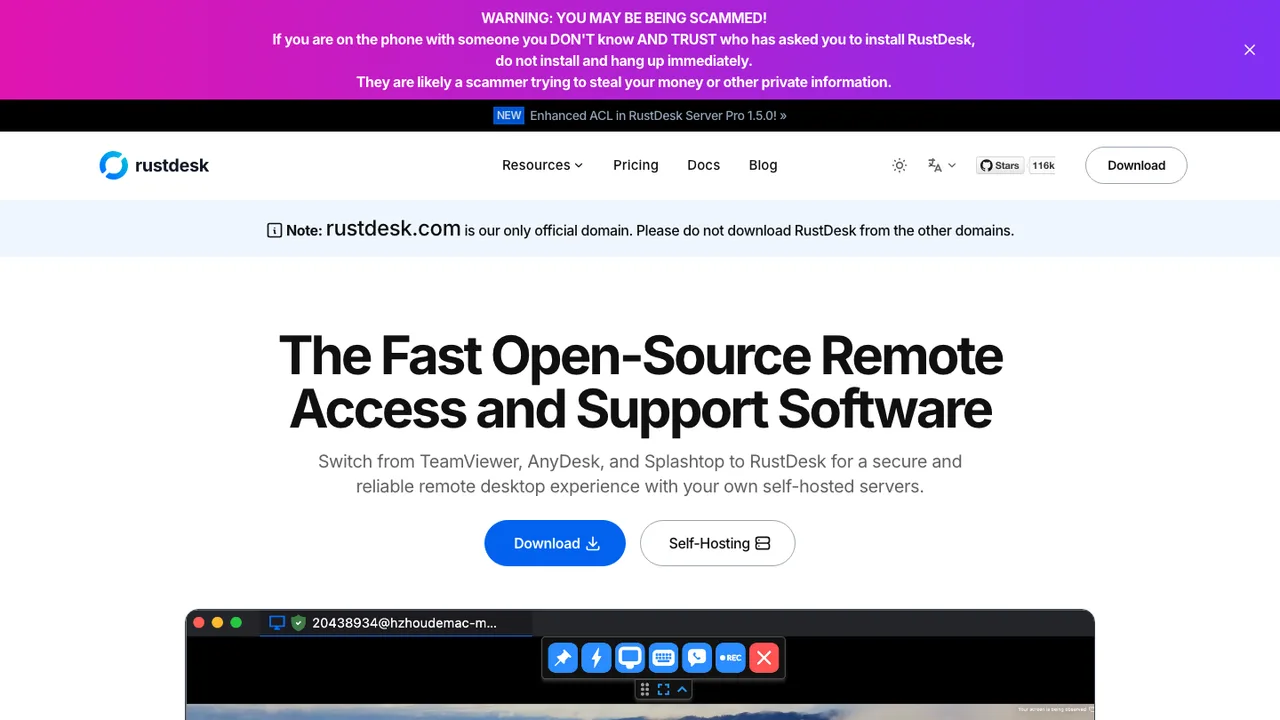
RustDesk screenshot

RustDesk is an open-source remote desktop application for accessing and controlling machines across Windows, macOS, Linux, and Android. Designed as an alternative to TeamViewer, it works out of the box with no configuration required and gives you full control of your data.

  • Remote desktop access and control
  • Peer connections with direct or relayed routing
  • Audio, clipboard, input, and video handling
  • File copy and paste between systems
MeshCentral logo

2.MeshCentral

6.7kApache-2.0HTML Self-host
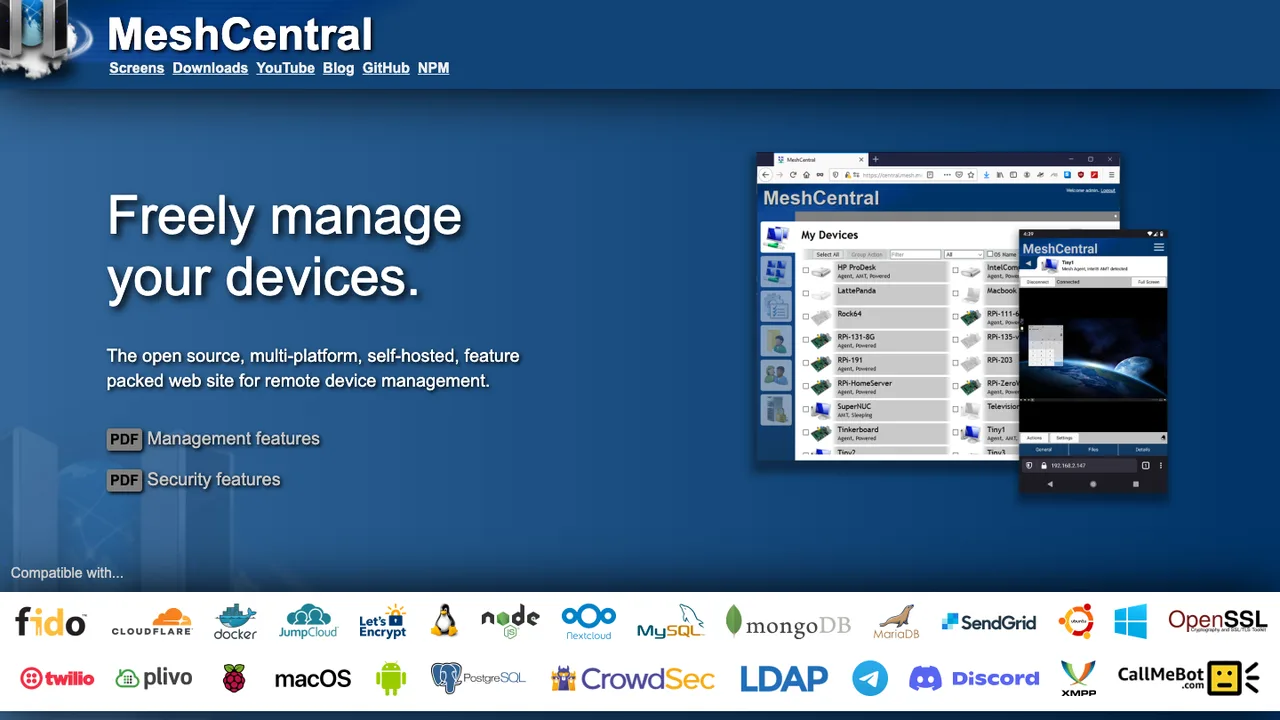
MeshCentral screenshot

MeshCentral is a full computer management website for remote monitoring and management. You run your own web server, create device groups, install an agent on each computer, and manage machines on a local network or anywhere on the Internet from a browser.

  • Run your own web server for remote computer management
  • Agent-based device enrollment into device groups
  • Web-based remote desktop sessions
  • Browser terminal access and file management
Apache Guacamole logo

3.Apache Guacamole

1.7kApache-2.0Java Self-host
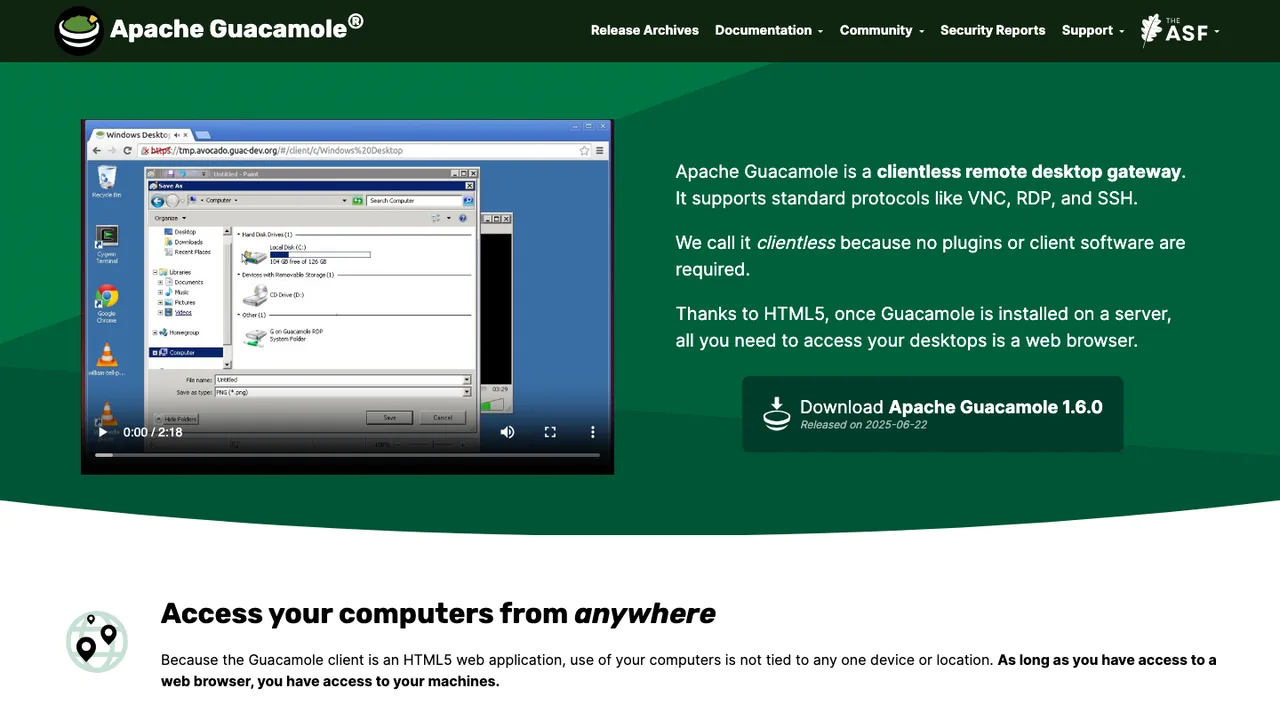
Apache Guacamole screenshot

Apache Guacamole is an HTML5 web application that provides access to your desktop using remote desktop protocols. It is built to serve as a browser-based client for remote access, so you can connect without installing a native desktop app on the machine you are using.

  • HTML5 browser access to remote desktops
  • Supports the VNC, RDP, and SSH protocols
  • Clientless: no plugins or client software needed
  • Runs under servlet containers like Tomcat or Jetty

Switching from TSplus to open source

Treat TSplus as a bundle you are unpacking, not as a single feature to clone. It combines remote sessions, application publishing, browser access, gateway behavior, user mapping, and administration in one commercial surface. Decide which part is actually critical: full desktops, individual published apps, contractor access through a browser, internal help desk access, or a farm of session hosts. Open source replacements often split these roles across a gateway, a session protocol, identity integration, and monitoring, so the right choice depends on the workflow you must preserve rather than the TSplus checkbox you used before.

The main gap is polish around the all-in-one experience. TSplus gives administrators a packaged console, a web portal, application assignment, and commercial support expectations. Moving off it can mean more manual configuration, less seamless app publishing, and more responsibility for testing printing, clipboard, drive redirection, file transfer, MFA, and load distribution. Browser access may work well for standard sessions but feel different for graphics-heavy apps or users who expect a near-native desktop. Plan for user retraining and a longer validation cycle than a simple remote access client swap.

Migration starts with an inventory of TSplus servers, published applications, user and group assignments, gateway URLs, certificates, MFA settings, firewall rules, printer mappings, and profile locations. There is no universal export that turns a TSplus configuration into another system's configuration, so expect to rebuild policy and access rules. The applications and user data usually remain where they are, while shortcuts, portal links, session settings, and device redirection rules need cleanup. Run a pilot in parallel, move DNS only after testing, and leave rollback time for users with unusual printers or workflows.

Related alternatives

Frequently asked questions

What should replace TSplus first?+

Start with the TSplus role users touch most. For some teams that is the browser portal, while others depend on published apps, full remote desktops, or contractor access through a gateway. Replacing everything at once increases risk because each feature has different failure modes. Build a small pilot around one workflow, validate login, printing, file movement, and session timeout behavior, then expand from there.

Will an open source option publish individual applications like TSplus?+

Some open source setups can present a single application instead of a full desktop, but the experience may not match TSplus exactly. Window behavior, taskbar integration, file associations, and seamless launching can differ. If users rely on application publishing to hide the underlying desktop, test that workflow early. A replacement that is excellent for full sessions may still be awkward for single-app delivery.

Is browser-based access realistic without TSplus?+

Yes, but browser access should be treated as its own architecture decision. You need a web gateway, TLS termination, session handling, authentication flow, and logging that fit your security model. Browser clients are convenient for unmanaged devices, but they may have limits around keyboard shortcuts, audio, file transfer, and high-motion graphics. Test the exact devices and browsers your users bring, not only an administrator workstation.

How does licensing cost change after leaving TSplus?+

You may remove TSplus subscription or license costs, but replacement cost does not become zero. Budget for server capacity, gateway hosting, monitoring, backups, security patch work, and administrator time. If you need paid support from a vendor around an open source stack, include that too. The useful comparison is total operating cost over a year, not only the purchase price of the remote access layer.

Where do user accounts and permissions move?+

Do not copy TSplus access rules blindly. Map users and groups to your directory service first, then decide which groups can reach which applications, desktops, and gateways. TSplus-specific assignments, portal visibility, and per-application rules usually need to be recreated. This is a good time to remove old contractors, shared accounts, and broad access groups that accumulated because the old setup made exceptions easy.

What happens to MFA and login policy?+

MFA can usually be preserved, but it may move from the TSplus layer to the identity provider, gateway, or reverse proxy. That changes where prompts appear and how recovery works. Confirm support for your required factors, enrollment process, remembered devices, emergency access, and lockout behavior. Also check whether session reconnection bypasses any prompt, because remote access systems often differ in how they handle resumed sessions.

Can the same gateway URL be reused?+

Usually yes, if you control DNS and certificates, but it should be the last step, not the first. Build the replacement under a temporary hostname, test it with real users, then cut over the public name during a maintenance window. Keep the old TSplus endpoint reachable internally or behind an alternate name until rollback is no longer needed. Certificate renewal and firewall rules should be verified before the switch.

Do printers, clipboard, and file transfers still work?+

They may work, but these are the features most likely to create support tickets after a TSplus migration. Printer redirection depends on drivers, host policy, and the remote protocol. Clipboard and file transfer behavior depends on the gateway and client. Create a test matrix for local printers, label printers, PDF output, copy-paste, uploads, downloads, and mapped drives before telling users the new system is equivalent.

How much downtime should a migration require?+

A careful migration can be mostly parallel because the applications and data usually stay on the same back-end systems. Downtime is mainly needed for DNS changes, firewall updates, and final user cutover. The larger risk is not outage time, but users discovering that a device redirection, shortcut, or saved workflow changed. Schedule a pilot, a limited production group, and then the broader move rather than one big weekend switch.

What data can be exported from TSplus?+

Expect to export or document configuration rather than perform a clean automated migration. Inventory published applications, assigned users and groups, gateway settings, certificates, security rules, session limits, web portal branding, and logs you must retain. User files and application databases are usually outside TSplus, so they survive separately. The cleanup work is converting TSplus-specific policy into the access model of the new stack.

Are mobile and tablet users covered?+

They can be, but mobile access often changes more than desktop access. Touch input, screen scaling, external keyboards, file upload, and session reconnect behavior need separate testing. TSplus users who rely on quick browser access from tablets may notice differences in gestures and menu placement. If mobile use is occasional, a basic experience may be fine. If it is a daily workflow, include those users in the pilot.

Does remote access work offline after switching?+

No remote access replacement makes a server-hosted application usable without a network path to the host. Offline capability has to come from the application itself, a local client, or a separate synchronization design. If TSplus was used to centralize apps that previously ran locally, switching remote access platforms will not change that dependency. Plan for redundant connectivity rather than offline use.

How should backups be redesigned?+

Back up more than the application data. You need configuration backups for the gateway, authentication settings, certificates, access rules, session host configuration, and any scripts used to publish apps or create sessions. Store recovery notes outside the remote access system, because administrators may need them during an outage. Test a rebuild on a clean host so you know whether documentation is complete.

Will performance match TSplus for many simultaneous sessions?+

Performance depends on the session protocol, gateway overhead, application behavior, graphics load, storage latency, and how many users share each host. Do not rely on a one-user test. Simulate peak concurrency with the heaviest applications and include printing or file transfer if those are common. Watch CPU, memory, disk queue, network throughput, and session reconnect times. Scaling may require more hosts rather than one larger gateway.

What if the chosen open source project is abandoned?+

Reduce that risk by keeping the deployment understandable and portable. Favor standard protocols, documented configuration, plain backups, and an architecture that can swap one layer without replacing the whole environment. Keep installation scripts and access rules in your own repository. If the project stalls, you should be able to move the gateway or client layer while preserving hosts, user data, and the directory model.