Open Source 3D Modeling Software
3D modeling is really several unrelated crafts wearing one label: shaping an organic character by eye, defining a machine part to exact millimeters, or rebuilding geometry from a stack of photographs or laser scans. The software behind each of those jobs shares almost nothing, so the first decision is which kind of 3D work you actually do, not which program is most famous. Open source matters more here than in most categories because a finished asset represents real hours of sculpting, retopology, or capture, and the tools below write to open mesh formats that any other program can read. Your geometry stays portable no matter what any single application later decides to charge.
Blender
Free 3D creation suite covering modeling, animation, rendering, compositing, motion tracking, and video editing
Meshroom
Photogrammetry app that turns photo sets into 3D models through a node-based pipeline
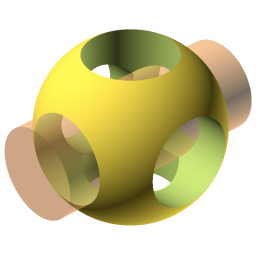
OpenSCAD
Script-based solid 3D CAD for precise models, with CSG and 2D outline extrusion
MeshLab
Mesh processing and editing system for large 3D triangular meshes from 3D scanning
CloudCompare
3D point cloud and mesh processing tool for comparing large laser scans and surfaces

Dust3D
Cross-platform 3D modeler for low poly assets, with built-in rigging and GLB and FBX export

Wings 3D
Advanced subdivision 3D modeler inspired by Nendo and Mirai, rendered with OpenGL
Our picks
These tools rarely compete; each owns a different 3D discipline, so pick by the job in front of you.
Best all-round 3D suite: Blender Blender covers the whole pipeline in one application: modeling, sculpting, rigging, animation, and rendering with Cycles and Eevee. Its Python API scripts exporters and automates repetitive jobs, which matters once a team depends on consistent output.
Best for precise, parametric parts: OpenSCAD OpenSCAD describes a model as a script of exact dimensions and boolean operations rather than something sculpted by hand. That makes parts reproducible and easy to revise, and it reads and writes STL for a clean 3D printing workflow.
Best for photogrammetry: Meshroom Meshroom reconstructs 3D models from overlapping photographs through a node-based pipeline that caches results, so tweaking a parameter only re-runs the affected steps. It runs locally or across a render farm and takes custom Python nodes.
Best for quick low-poly game assets: Dust3D Dust3D gets you from a rough shape to a rigged, UV-unwrapped model fast, with built-in automatic rigging and procedural animation. It exports GLB and FBX, so low-poly game assets and simple prints are ready without switching apps.
Pick by discipline before feature list
The most common mistake in this category is reaching for the best-known program regardless of the task. Polygon and subdivision modeling, the approach in Blender and Wings 3D, suits characters, environments, and game assets where you shape surfaces by eye. Parametric CAD is a different discipline entirely: OpenSCAD describes a part as a script of exact dimensions and boolean operations, so a design stays editable and reproducible when a measurement changes. If your output is a physical part, that constraint-driven model matters far more than sculpting brushes.
A second group of tools never models from scratch at all; they process geometry that already exists. Meshroom reconstructs a mesh from a set of overlapping photographs, MeshLab cleans and repairs the messy scans that come out of that process, and CloudCompare compares large point clouds to measure how a surface changed between two laser scans. These are pipeline tools, and the right one depends on whether you are capturing reality, healing a scan, or measuring difference, not on general modeling power.
Whatever the discipline, test a round trip with your own assets before committing. A clean import is not the same as an editable model: OBJ and STL carry shape but drop constraints, modifiers, and rig controls, while formats like glTF preserve more scene structure for real-time work. Dust3D is worth a look when you want a shortcut from a simple shape to a rigged, game-ready model with UVs already unwrapped. Confirm the export path your production chain needs survives the trip, in both directions.
Related categories
Frequently asked questions
Do these tools cover the whole 3D pipeline or just modeling?+
Most are focused single-purpose tools, not suites. Blender is the exception: it handles modeling, sculpting, rigging, animation, and rendering in one application. The others deliberately do less. Wings 3D concentrates on subdivision surface modeling, OpenSCAD only builds precise parts from scripts, and Meshroom, MeshLab, and CloudCompare each process existing geometry rather than creating it. Decide whether you want one program for everything or a focused tool that does one job well.
Which tool fits 3D printing best?+
It depends on whether your part is artistic or mechanical. For precise, dimension-driven parts, OpenSCAD lets you define the model as a parametric script and revise a measurement without remodeling. For quick printable shapes, Dust3D goes from simple parts to a finished mesh fast. Before printing, run the mesh through MeshLab to check for nonmanifold edges, holes, and inverted normals that quietly ruin an otherwise good print.
Can I build a 3D model from photographs or scans?+
Yes, and that is a category of its own. Meshroom performs photogrammetry, reconstructing a mesh and camera positions from a set of overlapping photos through a node-based pipeline. The raw result is usually messy, so MeshLab is the companion tool for cleaning, healing, and simplifying scanned geometry. If your work involves comparing two laser scans of the same surface over time, CloudCompare is built specifically for that measurement.
What is the practical difference between polygon modeling and parametric CAD?+
Polygon and subdivision modeling, in tools like Blender and Wings 3D, shapes surfaces directly and is flexible for visual assets, but it does not preserve engineering intent. Parametric CAD, such as OpenSCAD, drives the model from dimensions and constraints, so changing a hole position or wall thickness updates the whole part cleanly. Choose based on how the model needs to change later, not just how it looks now.
Which export formats keep my geometry portable?+
Keep a neutral export for every important asset. OBJ is widely readable for static meshes but drops richer scene data; STL carries shape for 3D printing with almost no material or hierarchy; glTF and USD preserve more structure for real-time and larger scenes. A format that opens is not the same as one you can still edit, so test a round trip and inspect scale, axis orientation, normals, and UVs before you rely on it.
Is Blender enough on its own?+
For most modeling, animation, and rendering work, yes; its coverage is unusually broad for a single application, and its Python API automates repetitive tasks. But some jobs sit outside it. Photogrammetry from photos, healing large scanned meshes, and comparing point clouds are distinct problems that Meshroom, MeshLab, and CloudCompare solve better. A common setup is Blender at the center with one of these feeding cleaned geometry into it.
Can I automate or batch-process assets across a team?+
Look at the scripting surface before you build a pipeline around a tool. Blender exposes a Python API for exporters, batch jobs, and asset publishing; OpenSCAD models are already scripts, so they regenerate from parameters; and Meshroom lets you add custom nodes in Python or wrap command-line tools. MeshLab's underlying VCGlib can drive automated mesh processing. Prototype the exact task, such as exporting many assets with consistent scale, before committing.